Do I need any design experience?
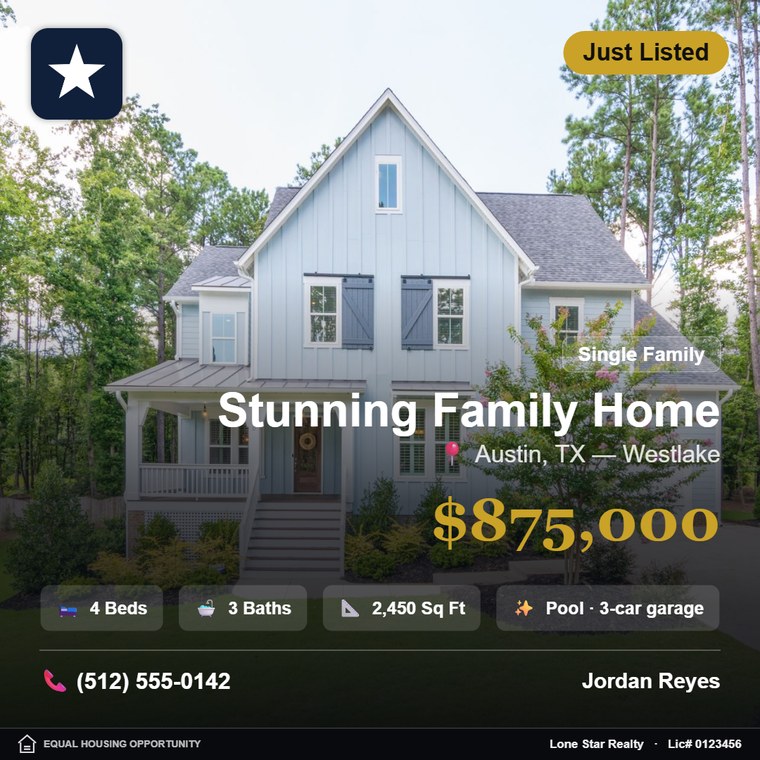
None. Type the listing details, drop in a photo and choose a template. Type sizing, spacing and contrast are handled automatically, so nothing overlaps and nothing gets cut off.
Does it help with advertising compliance?
There are dedicated fields for your brokerage name and license number, plus an optional Equal Housing Opportunity mark. They render in a strip along the bottom of every template. You are still responsible for meeting your own state and brokerage advertising rules — we give you the fields, not legal advice.
What does "30 designs a month" mean?
You can download up to 30 images per month. Designing, editing and previewing are unlimited — the counter only moves when you download, and it resets at the start of each calendar month.
Can I try it before paying?
Yes. Build and preview as many posts as you like with no account and no card. A subscription is only needed to download or save to the cloud.
How is this different from Canva?
Canva is a general design tool — every post starts from a blank canvas and you rebuild the layout each time. Aqari Design only does listings: the inputs are beds, baths, square footage, price and status, the templates are built around property photos, and your brokerage and license details are part of the design. The difference is a minute versus half an hour.
How does Smart Paste work?
Copy the listing text from the MLS, an email or a caption and paste it into the editor. It reads the status, property type, price, beds, baths, square footage, MLS number, your name, brokerage and licence number, and fills the fields in. It understands the shorthand agents actually write — 4bd/2.5ba, $1.2M, 2,450 SF — and it will not mistake a licence number for a phone number. Anything it gets wrong you can edit in one click.
Do I need to install anything?
No. It runs in your browser on desktop and mobile.
How do I cancel?
Cancel any time in two clicks from your orders page with the payment provider. Your access stays active through the end of the month you already paid for.
Something's wrong — how do I reach you?
Email aqaridesign@gmail.com or use the Help button inside the editor. We reply fast.